Odoo and AI integrations

Less manual work. More time for decisions.

AI can read a document, sort incoming inquiries or prepare a reply draft. An employee reviews the result before saving or sending it.

View Odoo solutions
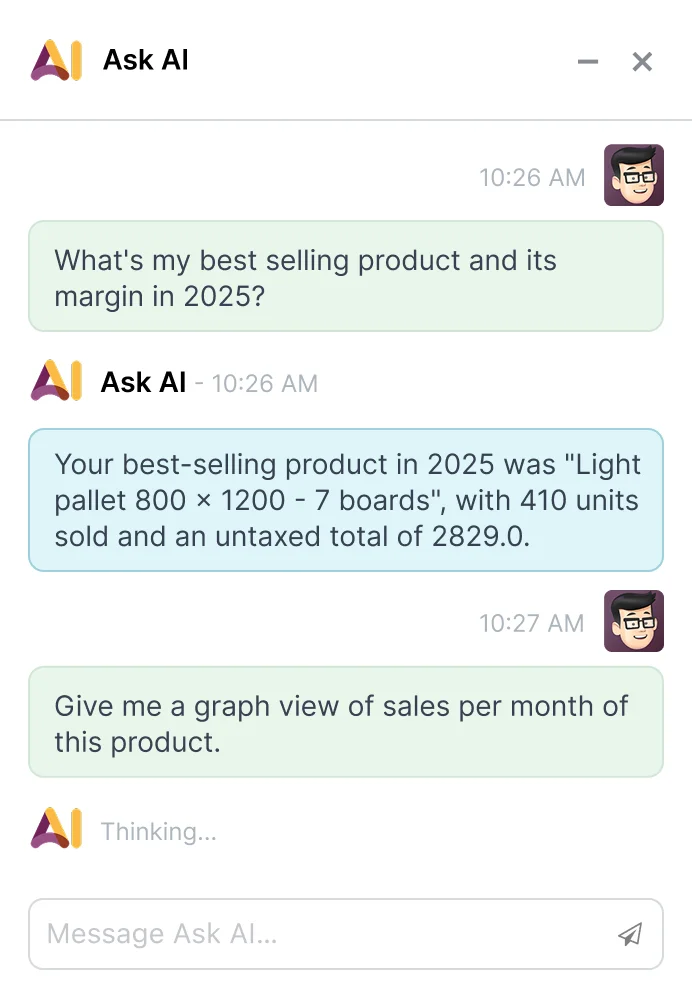
Odoo Ask AI window analysing sales data

The AI response is prepared using data available in Odoo

Practical tasks where AI can help.

AI receives a document or data from Odoo, prepares a result and an employee reviews it.

Data from invoices and orders

AI reads a document so the employee does not have to retype every field.

What AI receives
A PDF invoice, order or email attachment
What it prepares
A draft document with the date, amount, customer and line items
Who checks
An employee checks the fields before saving

Inquiry routing

AI identifies the topic and routes the inquiry to the right person or process.

What AI receives
An email, website form or customer message
What it prepares
A CRM opportunity or task with a topic and suggested owner
Who checks
The responsible employee checks whether the inquiry reached the right person

Reply and quote drafts

AI prepares a first draft from the customer and order information in Odoo.

What AI receives
Customer, order, product or previous conversation data
What it prepares
A reply, quote summary or internal note
Who checks
An employee reviews, edits and sends the text

Report summaries

AI turns selected Odoo data into a short, readable summary.

What AI receives
A report, dashboard or selected internal documents
What it prepares
A summary of changes, exceptions or important points
Who checks
Odoo calculates the figures; AI only explains them

Before implementation, we agree what data can be sent to AI and which employee will review the result.

From a document to a reviewed record in Odoo.

Odoo sends only the information needed for the task. An employee reviews the AI result before it is saved in the system.

  1. 01

    A task appears

    For example, a new invoice, inquiry or request to prepare a summary.

  2. 02

    Data is selected

    Odoo sends only the fields and documents needed for that task.

  3. 03

    AI prepares the result

    AI reads the document, assigns a category or prepares a text draft.

  4. 04

    An employee checks it

    An employee checks whether the result is correct. Odoo can also catch simple errors.

  5. 05

    Odoo saves the result

    After the check, Odoo saves a document draft, category or task.

How data is protected

  • AI receives only what it needs for the specific task
  • Before implementation, we check where the data is sent and how long it is stored
  • Passwords and unnecessary personal data are not sent
  • An employee approves the result before an important action

When a simple rule is enough

  • When an exact Odoo rule is enough for the task
  • When the data is incomplete or poorly organised
  • When a simple Odoo automation is cheaper and more accurate
  • When an employee cannot review the result

Test first. Implement with evidence.

For example, reading invoice data or sorting incoming inquiries. The test shows how many results are correct, how much time is saved and what one task costs.

  1. 01

    We choose one task

    For example, moving invoice data into Odoo or routing inquiries.

  2. 02

    You provide examples

    We use a few common invoices, orders or inquiries for the test. Unnecessary sensitive data is removed.

  3. 03

    Test outside the live system

    We test the solution separately, so it cannot change live data.

  4. 04

    We compare the result

    We check how many results are correct, how much time is saved and what one task costs.

After the test you will know

  • How often AI produces the correct result
  • Whether an employee must check every result
  • What one task costs and how much time it saves
  • Whether the solution is worth using in daily work